Your AI. Your PSAI Platform. Now Connected.
Already using ChatGPT or Claude to help run your business? Now you can bring that same AI assistant into your Predictive Sales AI platform. From creating website pages to working with projects and organizing information, your favorite AI tools can help you get more done with the software you already use.
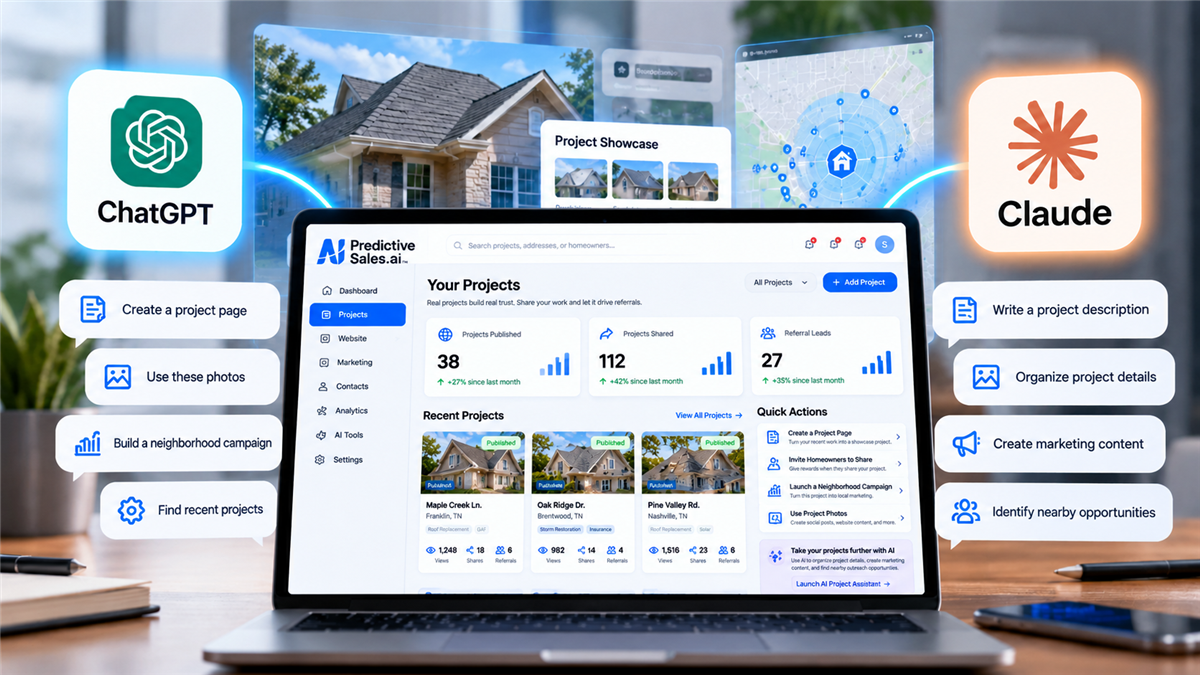
And this isn't something we're simply planning for the future. PSAI customers are already connecting their own AI assistants and putting them to work today.
The AI You Already Know. Now Working With Your Platform.
AI tools like ChatGPT and Claude have changed the way businesses write, plan, research, and solve problems. But there's often been a disconnect between the ideas AI generates and the business software where those ideas need to become reality.
Predictive Sales AI is helping close that gap.
Through supported platform connections, your AI assistant can interact with PSAI capabilities and help you carry out tasks using conversational instructions. Instead of stopping at a written suggestion, AI can help you take the next step inside your platform.
From Simple Instructions to Real Work Inside PSAI
Imagine telling your AI assistant what you want to accomplish and having it help you work through the process using your PSAI platform.
Use conversational instructions to help build new website pages, organize content, and turn marketing ideas into pages within your PSAI website.
Find existing projects, review project information, and use supported AI workflows to help organize or create project content.
Bring project information into your marketing workflow, making it easier to turn completed jobs into content that demonstrates your company's experience.
Ask questions, find information, and work through supported platform actions without having to navigate every step manually.
The available actions depend on the AI assistant, your platform configuration, and the features connected to it. But the opportunity is straightforward: make your existing technology more useful by giving AI a way to work with it.
Imagine Turning a Completed Job Into Your Next Marketing Opportunity
For home service businesses, completed projects are some of the most valuable marketing assets available. They demonstrate your work, establish local credibility, and give nearby homeowners a reason to trust your company.
Now imagine using your AI assistant to help organize that project information and prepare it for your marketing activities.
Use your AI assistant to locate or work with information about a recently completed job.
Help prepare the project description, relevant information, and available assets for use in your marketing.
Use supported PSAI capabilities to help create related content or pages that showcase your company's experience.
This is an illustrative workflow. Specific steps and available actions depend on your connected tools and PSAI configuration.
Getting Started Is Easier Than You Might Think
You don't need to start from scratch or learn an entirely new AI tool. If you're already comfortable using Claude or ChatGPT, you can build on that experience.
Our team has prepared setup instructions to help you establish a connection between your AI assistant and your PSAI platform.
Follow the instructions to create the necessary API credentials within your PSAI platform.
Configure the supported connection in your AI tool using the setup instructions provided by PSAI.
Once connected, begin with a simple request, such as finding a project or exploring how AI can assist with your website content.
Your PSAI Client Services team can help walk you through the setup process and answer questions about supported workflows.
Put Your Favorite AI Assistant to Work
Follow our setup instructions to connect your AI assistant with Predictive Sales AI and start exploring what's possible.
View Setup Instructions →Your Marketing Platform Should Work With the Tools You Love
Every business has its own way of working. Some teams prefer ChatGPT. Others prefer Claude. What matters is being able to use the tools that make your team most productive.
At Predictive Sales AI, we believe AI should make your existing technology more valuable, not force you to abandon the workflows you've already built.
By opening supported platform capabilities to external AI assistants, we're giving customers another way to take advantage of their website technology, project information, and marketing tools.
Your AI. Your Workflow. One Connected Platform.
Your AI Assistant Can Do More With PSAI.
Connect Claude or ChatGPT to your Predictive Sales AI platform and discover new ways to create, organize, and manage your marketing activities with the help of AI.

Storm Season Is Ending. Here's How Roofing Contractors Can Build Their 2027 Retail Pipeline.

Smarter Targeting. Better Conversations. More Powerful AI. What's New at Predictive Sales AI.

WordPress Security Vulnerabilities Highlight Why Your Website Platform Matters
Do Call Tracking Numbers Hurt SEO?
Subscribe to Predictive Sales AI, LLC's Blog

Comments